Imagine this: you land in Jakarta, check in quickly, and the moment you drop your bag, a call comes in. You realize you need to print one document before you join your first meeting. Then traffic starts to squeeze your schedule, and suddenly your hotel either becomes your advantage or your biggest stress.
A Jakarta business trip hotel is meant to do more than provide a bed. In real life, it acts like a temporary productivity base, with the right environment to work, meet, and move through the city with less friction.
If you want a quick way to turn these criteria into a shortlist, we can help you match the right hotel setup to your meeting schedule and working style.
What a Jakarta business trip hotel really is
Think of it as a working base, not just a sleeping place. A business trip hotel in Jakarta is designed to keep you productive, make meetings smoother, and reduce the daily friction that comes with working in a city where traffic and timing are real challenges.
Productivity base for your working day
This type of hotel gives you a ready-to-work environment, including the quiet and comfort you need to respond to emails, prepare documents, and get ready for client conversations.
In Jakarta, that matters because traffic can turn small delays into schedule problems. When your hotel supports focused work, you protect performance even when the day shifts around.
Business center and services for quick tasks
A business center (and related services) covers the practical stuff that can’t wait, like printing, scanning, and office supplies for last-minute work.
Meeting facilities for client-ready moments
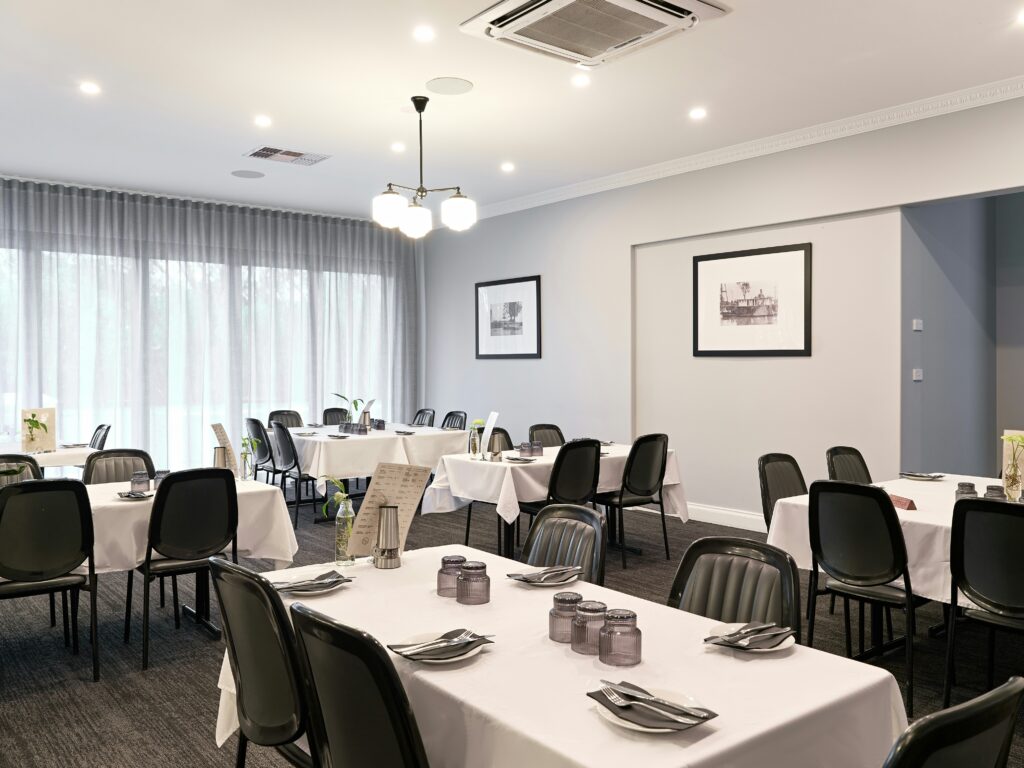
Meeting facilities are the hotel spaces built for real business discussions, not just a generic room. They typically include meeting rooms and the support that helps presentations run smoothly, including room readiness and practical services.
Meeting rooms with practical AV support
Meeting facilities should feel ready, not improvisational. That means the room setup supports presentations, the audiovisual basics work as expected, and the space supports professional discussions.
In Jakarta, where schedules are sensitive, a room that looks fine but fails on setup creates avoidable delays. When AV and support are solid, you can focus on the conversation instead of the tech.
Dining and wellness that keep you functional
On-site dining and wellness facilities help you handle long days without constantly searching for options. The goal is simple: eat well, recharge, and stay sharp for the next engagement.
With the work-and-meeting essentials clear, the next puzzle is often where the hotel sits. Location is not just geography, it is a productivity tool.
How location becomes a productivity tool
In Jakarta, location is less about miles and more about minutes you can trust.
In practice, micro-geography means the “same distance” can feel completely different depending on traffic bottlenecks during peak hours. So, two hotels that look equally close on a map can lead to very different real arrival times, which is why you need connectivity through your daily routes, not just proximity.
Why your hotel choice matters in Jakarta
A consultant lands in Jakarta and has back-to-back meetings. One client meeting needs a formal presentation, and later the day includes a virtual follow-up call.
Traffic risk becomes schedule stress
The wrong hotel location can turn every commute into a time gamble. Even if the distance is “short” on a map, micro-bottlenecks and peak traffic can steal minutes you cannot get back.
Unreliable Wi-Fi breaks remote meetings
A hotel can have internet, but still fail at what matters most: dependable high-speed internet access. If connectivity drops during a call, even a well-prepared message falls apart.
For a virtual follow-up, this becomes client friction. The meeting feels unprofessional when you scramble for signal strength instead of engaging in the discussion.
Weak meeting readiness hurts client perception
People often assume meeting rooms are interchangeable, but readiness is the real difference. If the meeting facilities do not support AV needs or the room setup is clunky, you spend the first minutes solving problems.
Total cost of travel rises fast
Choosing based on the lowest rate ignores the true business-trip cost. When you lose time to traffic, spend effort on document fixes, or pay for external help because the business center is not dependable, expenses and effort climb together.
This is why total cost of travel rises, not just the room price. The hidden cost includes stress, productivity loss, and extra meeting logistics that drain your day.
Time lost in traffic is the hidden cost
Pro choosing a hub reduces compounding delays. If your hotel sits near the places you visit most, your trips feel shorter and more predictable. In Jakarta, that predictability comes from how traffic behaves at certain hours, not just how far the hotel is.
Wi-Fi availability vs Wi-Fi reliability
Wi-Fi availability means there is a connection you can see. Wi-Fi reliability means it stays steady when you actually need it, like during a video call or when uploading files.
For business travel, that difference is huge because Jakarta days are packed and interruptions cost focus. When reliability drops, you waste time troubleshooting instead of staying responsive to clients.
Primary work spot vs backup work spot
Your “primary work location” might be your room, but a smart business trip also uses backup options. In a hotel, that backup can be a lounge, a café, or a dedicated business center.
This redundancy mindset matters because it prevents one failure from derailing the whole schedule. With a prepared backup spot, your workflow keeps moving even when connectivity fluctuates.
How to evaluate a hotel before you book
What should you check before you commit, so your Jakarta stay supports work and meetings instead of creating daily stress?
1. Map meetings, then pick a hub
Start by choosing a hub based on where your meetings will be most frequent, not where the hotel looks convenient in general. Use a simple map of your key locations and decide which area reduces the most back-and-forth.
2. Check connectivity and business services
Next, decide what “working” means for your trip and check for the right support. Confirm that high-speed internet access is reliable enough for video calls and cloud work, not only available in a general sense.
3. Confirm meeting logistics and AV needs
Now evaluate meetings as an execution problem, not just a room selection. Ask whether the meeting facilities can handle your presentation setup and whether audiovisual basics are ready for real use.
Check room layout flexibility, support timing, and any service around the meeting flow. When setup and AV support are weak, clients feel it immediately and you lose focus early in the agenda.
4. Plan arrival and departure with buffers
Before booking, plan how you will get from the airport and how you will leave for the next appointment. In Jakarta, don’t assume transport speed will match the distance, because traffic can completely change the day.
5. Align with corporate policy and tier expectations
Finally, match the hotel choice to your corporate travel expectations and approval rules. Confirm the allowed booking channels, typical tier levels, and what expense policies cover for business services.
Start with your meeting map, then pick the hub
- Check where your meetings actually happen most
- Choose a hub area like SCBD, Kuningan, or Mega Kuningan
- Add commute buffers for peak hours
- Identify micro-bottlenecks on likely routes
- Prefer options that reduce street-level exposure
- Test feasibility against your real appointment times
This checklist prevents compounding delays because it treats location as a productivity tool, not just a pin on a map.
What does “high-speed Wi-Fi” mean for calls?
Look for stable high-speed internet access, not just “available Wi‑Fi.” The failure you want to avoid is the connection dropping or stuttering during a video call.
Try to confirm whether the hotel supports consistent performance for calls and messaging during busy hours, then plan to test your connection on arrival.
Should you rely on in-room work only?
Think in terms of a mobile office, not a single workspace. A “backup” matters because connectivity and comfort can vary between your room and other areas.
What if you need to print or scan urgently?
Check the availability and turnaround of the hotel’s business center services for printing and scanning. The risk is discovering late that the process is slow or limited.
Ask what you can print and scan, and keep one extra buffer in your plan for last-minute documents.
How do you build a backup plan inside the hotel?
Create redundancy so one problem does not stop your whole day. That means having more than one place and method to work when conditions change.
Before your first meeting, note where you can work offline-ish, get support, and handle urgent documents through hotel services. Wi‑Fi isn’t enough if the meeting itself can’t run smoothly. Next, we’ll cover meeting logistics and AV readiness.
That moment is why meeting facilities are more than a room with chairs. “A meeting room exists” does not mean it is ready to support your specific presentation and discussion.
Ride-hailing vs taxi dependence
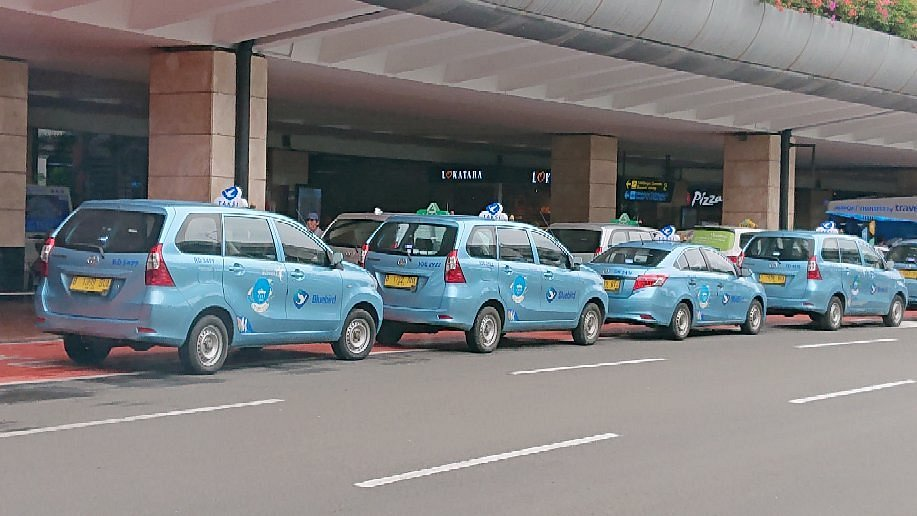
Most people think relying on taxis is the safest option, but Jakarta traffic can make that plan unpredictable. Ride-hailing often gives you more flexible routing and a clearer way to adjust when congestion changes.
For business trips, that flexibility reduces late arrivals and protects meeting prep time. It also helps you keep buffers realistic instead of hoping traffic stays kind.
Public transit vs door-to-door convenience
Some travelers assume public transit automatically means faster travel, yet you still face last-mile steps and peak-hour crowding. Public transit can work well when your route aligns cleanly, but door-to-door convenience can reduce friction when schedules are tight.
In practice, the trade-off is simple: transit can help you avoid road congestion, while door-to-door plans help you avoid delays from boarding, transfers, and walking. Build your choice around your meeting start times.
Single-route planning vs redundancy
Planning one route sounds efficient, but Jakarta’s day-to-day conditions change quickly. A single-route plan fails when one corridor jams up, even if the distance looks reasonable.
Redundancy means having an alternate route or method ready and allowing buffer time for real-world delays. That keeps your day from collapsing when travel surprises happen.
Public transport gets you everywhere fast
It sounds logical, but in Jakarta it rarely connects to every destination door-to-door. You still face peak-hour crowding and last-mile walking.
If you plan meetings like transit will be seamless, you risk late arrivals and missed appointments.
“Business-friendly” guarantees reliable Wi‑Fi
Marketing language can be misleading. A hotel may offer Wi‑Fi, yet it may not stay stable when everyone is online at the same time.
During calls or uploads, that becomes technical failure and client frustration.
Taxis are always the fastest option
Some people default to taxis because they are simple, but traffic can make them slow and unpredictable. A short ride can suddenly take much longer.
The consequence is schedule stress, rushed setup, and weaker meeting performance.
Western business etiquette transfers directly
Polite expectations differ, and assumptions can create awkward moments. Professional interactions rely on local norms, not one universal script.
When you get it wrong, client friction increases and rapport takes longer to build.
Any meeting room works for formal presentations
Room size is not the same as meeting readiness. You need audiovisual support, setup that matches your format, and practical assistance.
If AV and setup fail, your presentation derails and you lose credibility.
Jakarta has no relaxation options
That belief makes people push through every day until they burn out. Jakarta still offers wellness and downtime, including options within hotels.
Ignoring recovery leads to burnout and reduced focus for later meetings.
Over-scheduling without delay buffers is smart
Fitting every appointment back-to-back ignores Jakarta’s traffic reality and human limits. When delays happen, you have no room to recover.
The result is less preparation time, rushed work, and missed follow-ups.
Avoiding these myths is the first win. Next, we’ll look at how experienced travelers execute well even when Jakarta throws curveballs.
“Looks good on the brochure” is not the same as “works on the day” in Jakarta.
“Business-friendly” guarantees consistent Wi‑Fi
If you only check that Wi‑Fi exists, you miss the bigger risk: reliability during your actual video call or file upload. Verify high-speed internet access can stay stable when usage is high.
That simple check prevents technical failure that can ruin a client moment.
A room isn’t the same as a presentation
Choose meeting rooms with more than seating. Confirm meeting facilities support your device, your screen needs, and the audiovisual basics that your presentation depends on.
Skipping this causes avoidable setup problems and client friction.
On paper, public transit gets you quickly
Routes that look efficient often break down in peak hours through crowding and last-mile gaps. Plan for realistic arrival time and use transport planning that matches your schedule.
How to do it well during your stay
Traffic and connectivity variability are not one-off problems in Jakarta, so the smart move is to plan your days like the city could surprise you at any moment.
Over a work week, the best travelers protect productivity by building redundancy and using the hotel’s people, not just its rooms.
Build redundancy into work setup
In the morning, you open your laptop and immediately check your main workflow. Then you set up a backup approach, so if the connection is weaker than expected, you can keep working somewhere else.
When a printing or document need pops up, you use the available business center services quickly and avoid last-minute scrambling. This expert habit is about a mobile office mindset, with redundancy so one problem does not stop everything.
Use concierge and staff for micro-optimizations
After your first meeting, you ask staff for practical timing help for the next appointment. You do not just rely on generic routes, because traffic patterns and micro-bottlenecks can change your day.
When you prep for a client dinner or a late-day transition, you lean on local guidance for smoother planning and better pacing. This is how experienced travelers use concierge and staff micro-optimizations to save minutes and protect energy.
1. Confirm your main working setup
Start by setting up your room as your primary workspace and checking your laptop settings. Verify your display, charging, and access to your main files so you can work immediately.
If something feels off early, fix it now, not during a meeting slot.
2. Add redundancy for connectivity
Next, plan a backup work location in the hotel in case your connection feels weak. Pick a spot where you can still join calls and keep working without losing momentum.
Also prepare your files ahead of time so you are not stuck waiting for uploads.
3. Prepare essential hardware and timing
Then gather the essentials you need every day, like adapters and any backup way to handle urgent work. Confirm your communication timing so you know when to be online and when to avoid peak congestion.
This prevents single points of failure from breaking your day.
4. Decide your offline-ish workflow
Finally, choose what you can do without perfect connectivity for that day. Draft, outline, review, and prep notes that do not require constant video or file syncing.
When your schedule shifts, this offline-ish workflow keeps productivity steady.
With redundancy in place, the next advantage comes from how you use people and local knowledge for micro-decisions.
Ask about time-of-day routes
Ask staff, “Which route is best for today’s time window?” This is where local timing knowledge helps.
They can guide you around predictable congestion and save minutes before your next meeting.
Request meeting-friendly dining suggestions
Before client dinner, ask, “Where can we eat comfortably and discuss after?” Focus on places that match the vibe and schedule you need.
Choosing the right spot supports relationship-building and keeps the evening smooth.
Confirm meeting logistics and AV check-ins
Check details like setup timing and AV needs by asking staff, “What do we need to confirm before the session starts?” This reduces surprises.
When the logistics are locked, you can concentrate on the meeting, not the problems.
Get real-time alternatives when delays happen
If traffic or timing changes, ask, “What’s our fastest alternative from here?” Staff can suggest practical adjustments. This prevents last-minute panic and protects your meeting flow.
A simple checklist for your next Jakarta booking
Choose a Jakarta business trip hotel like a system, not a guess. Keep your four pillars in mind: location as productivity, connectivity reliability, meeting readiness, and transport planning that respects traffic and timing.
- Pick a hub based on your meeting locations
- Confirm high-speed internet access reliability for real calls
- Verify meeting facilities AV readiness and room setup
- Plan arrival and departure with realistic buffers
- Set up redundancy for work, not just one workspace
- Keep downtime available for energy, not only meetings
Before you rely on anything, verify it. One assumption about Wi-Fi, AV readiness, or travel time can ripple into missed appointments and stress.
Want help applying this checklist to real hotel options in Jakarta? Reach out to Ashley team today for guidance tailored to your meeting schedule.